
A job-search workspace for engineers
Stop losing your job search to tabs and spreadsheets.
Track every application, deadline, follow-up, and interview note in one private workspace—then prepare with AI grounded in the roles and profile you saved.
Private workspace · Sign in with Google · No password to create
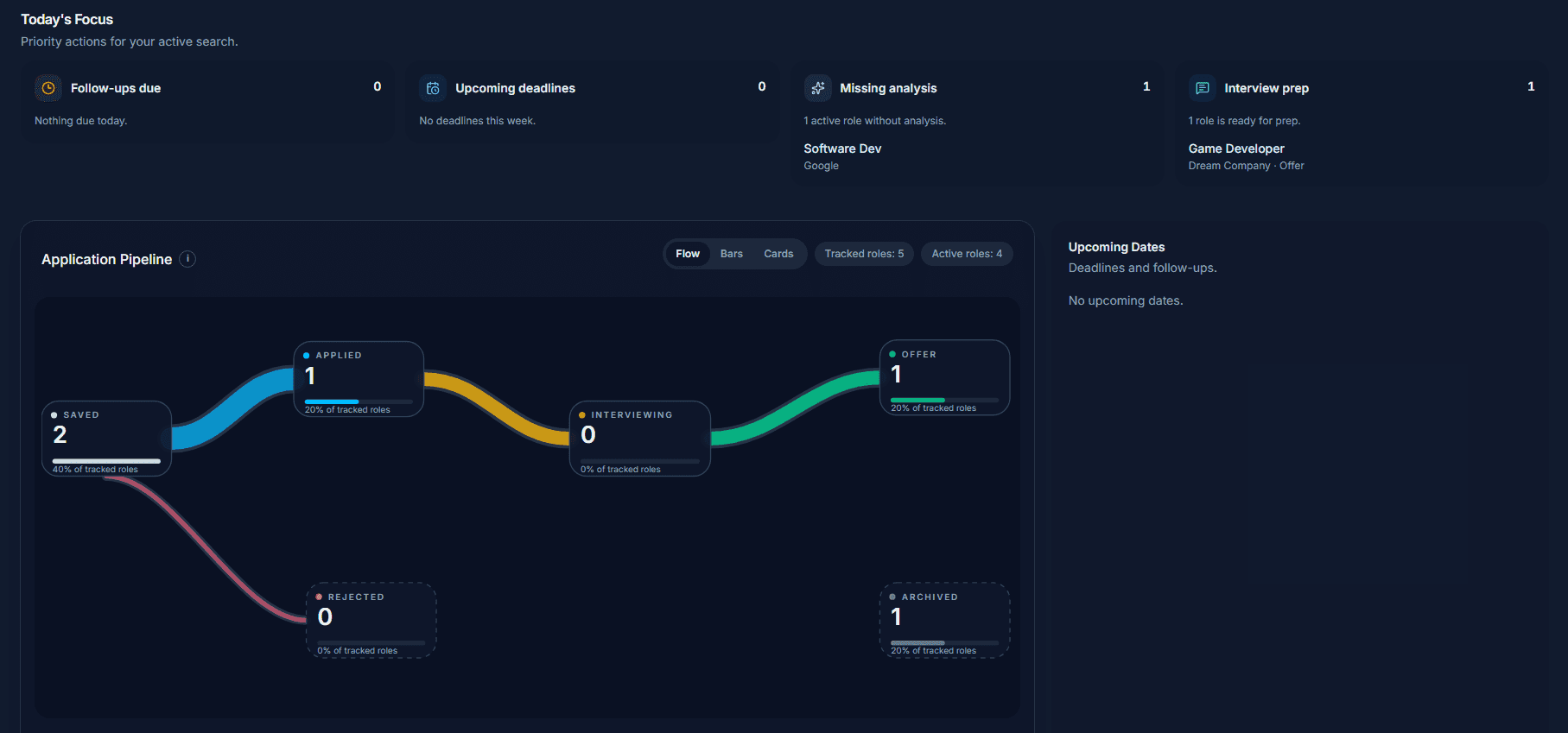
Built around the real search
Your search needs a system, not another spreadsheet.
Track My Apps turns scattered application details into a clear workflow you can return to every day.
- Saved links without context
- Every role has status, notes, and key dates
- Deadlines and follow-ups easy to miss
- Your next actions stay visible
- Resume details separated from job research
- Preparation starts from saved job and profile context
How it works
One place for the work behind every application.
Start with a role. Keep the next step clear. Bring in assistance when you are ready to prepare.
01
Capture the role
Save a posting with the details that matter before it disappears into another browser tab.
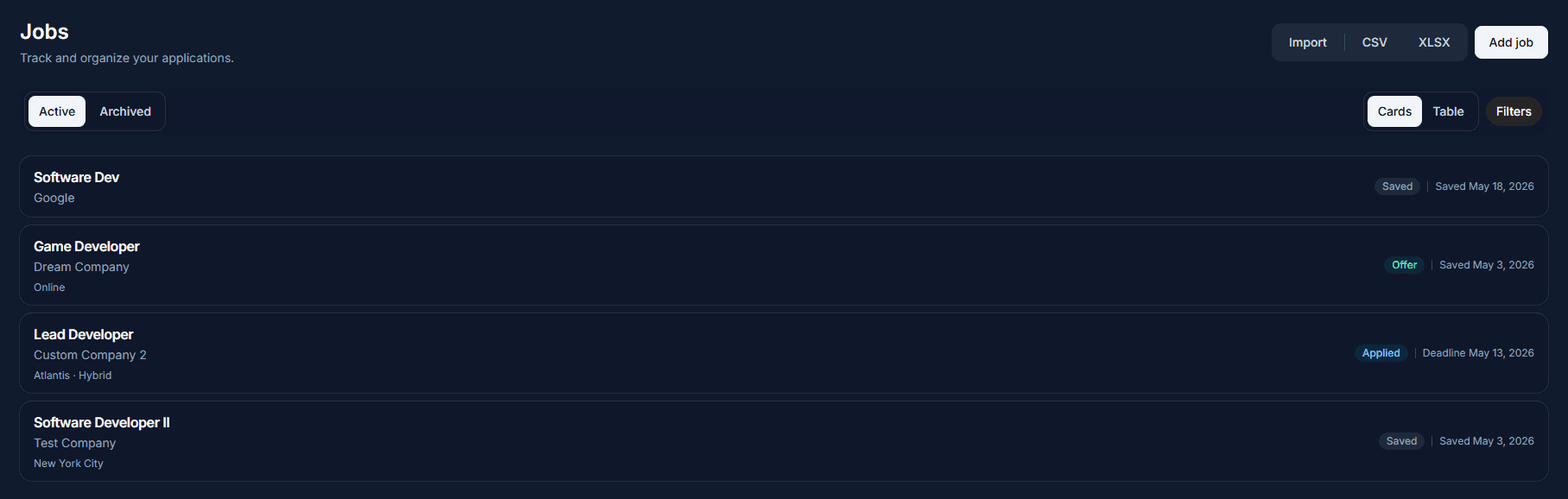
02
Keep momentum
Move applications through your pipeline and keep deadlines, follow-ups, and notes connected to each role.
03
Prepare with context
Use job analysis, profile matching, and interview prep only when the saved information can make them useful.
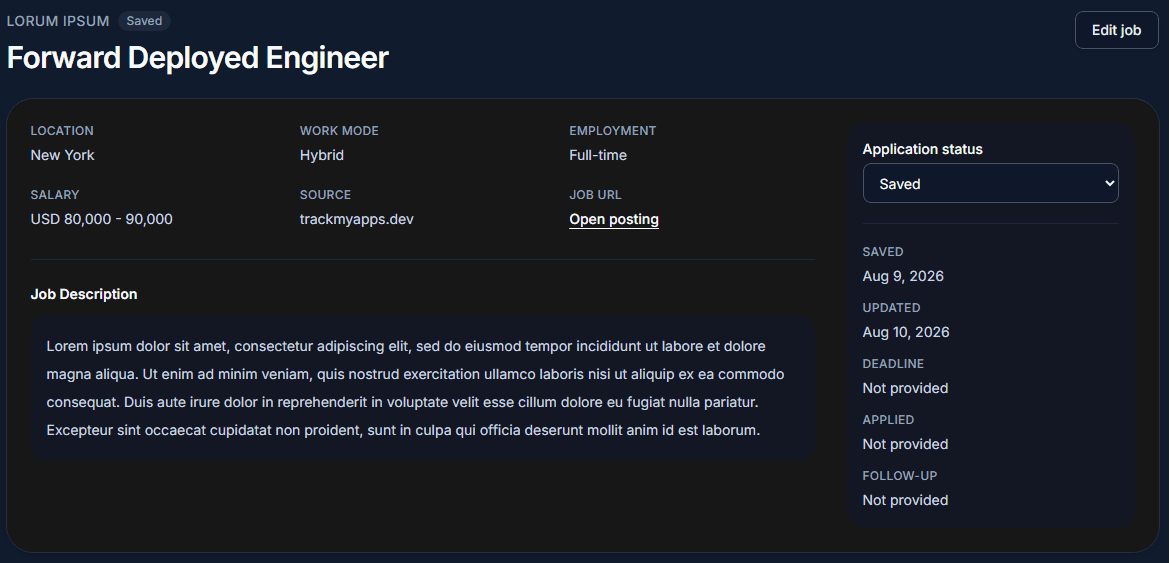
Your search at a glance
See the work that deserves your attention.
A visual pipeline makes it easier to understand where your search stands without turning it into another full-time project.
Know each role’s status
Saved, applied, interviewing, offer, rejected, or archived—without maintaining formulas.
Protect the next step
Keep application deadlines and follow-up dates attached to the job they belong to.
Keep the useful context
Store notes from recruiter calls, interviews, and your own research with the role.
Assistance, with context
AI that starts with your real job search.
Track My Apps keeps the tracker in charge. AI assistance is manual, reviewable, and grounded in the job and profile information you choose to save.
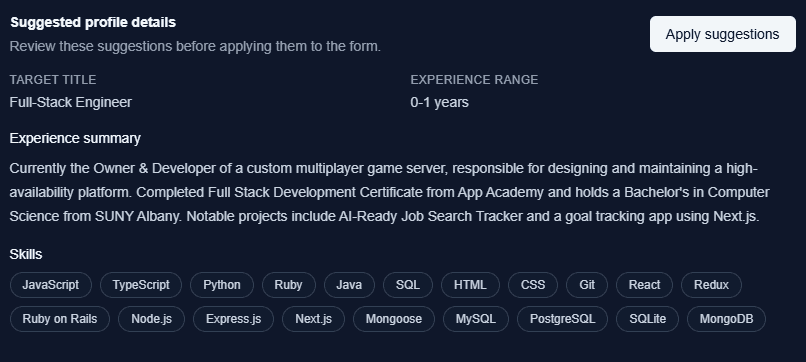
- Analyze a saved job description for requirements and signals.
- Extract a reviewable profile from your resume text.
- Compare your profile to a role and prepare for an interview.
Built for the whole workflow
The tools you need, organized around your next move.
Track My Apps gives each part of the search a clear home without asking you to adopt a complicated system.
Track the search
- Application statuses
- Notes and job details
- Deadlines and follow-ups
- Pipeline visualization
Prepare with context
- AI job analysis
- Resume/profile extraction
- Profile-to-job matching
- Interview preparation
Keep your data portable
- CSV export
- Formatted XLSX export
- CSV import preview
- Column mapping and validation
Already tracking applications elsewhere? Import a CSV, review the mapping and validation preview, then bring your search into one workspace.